
























Skip to content

Private AI that works
with your files.

What happens on your computer
stays on your computer.

Version 0.8.8 · See changelog

Easy to use

On first run, take the suggested AI. Make a Shelf from the folder the work already lives in, then ask in Chat.

Mac & Windows

Mac, Apple chip or Intel. Windows 10 and 11, including ARM. One installer for each — open it and you’re in.

No account

No signup, no seats, no usage meter. Install, add the folder, work. Each person runs Rebost on their own computer.

Open source

The app is MIT, so whoever has to say yes can check every line first — and no later owner can put it behind a login.

Why Rebost?

At Frontierz, we believe everyone should be able to use AI privately without needing technical expertise. But we found that the apps currently available were built for developers and engineers.

We could not find a free, open app for the rest of us.

So we created one.

Rebost is a desktop app for Mac and Windows that allows anyone to use AI privately and locally on their computer and work with the files they already have. It's free to download, and no account is required.

We hope you will enjoy using it.

Product tour

Rebost is built around four simple ideas:

01
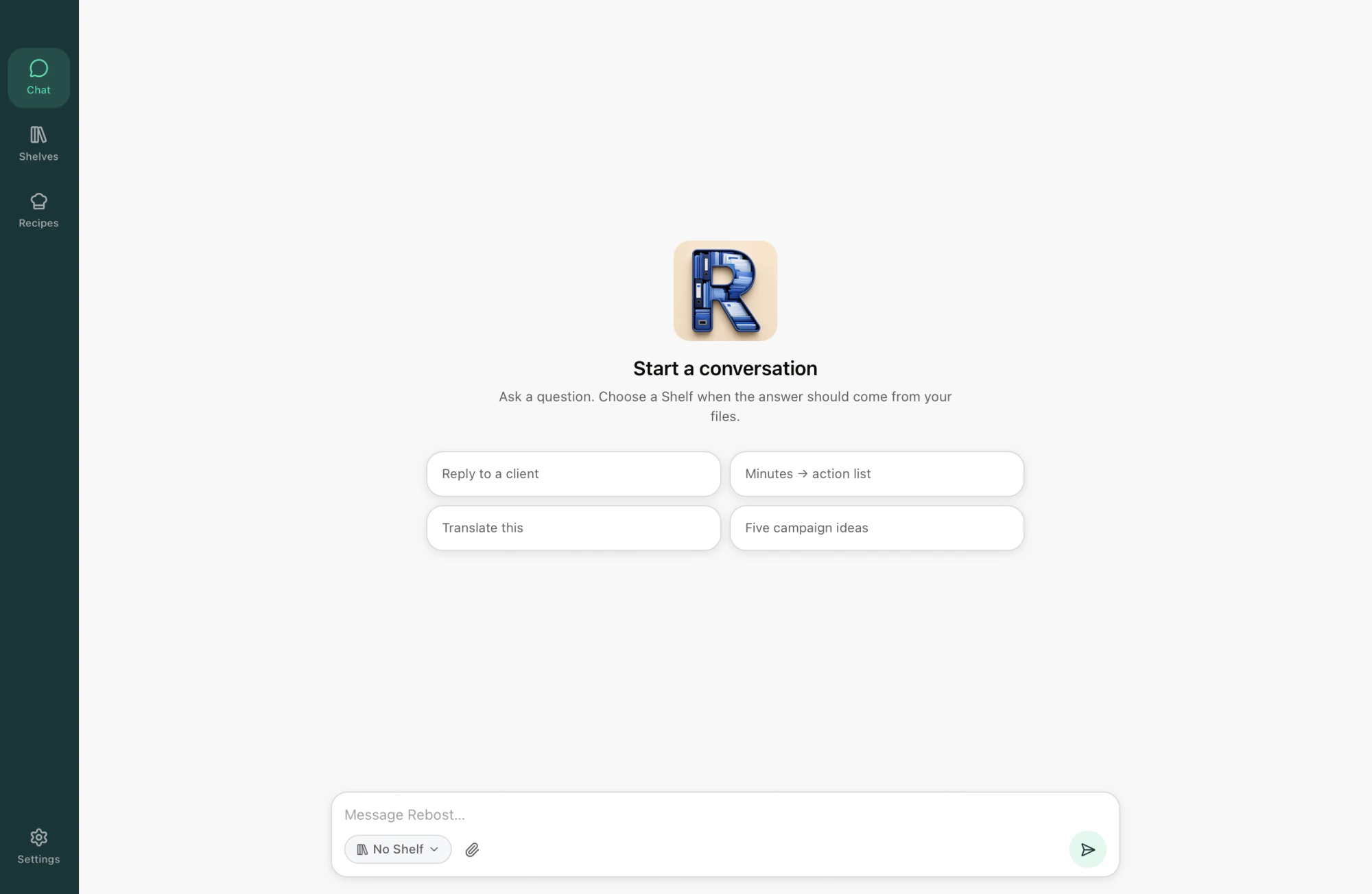
Chat
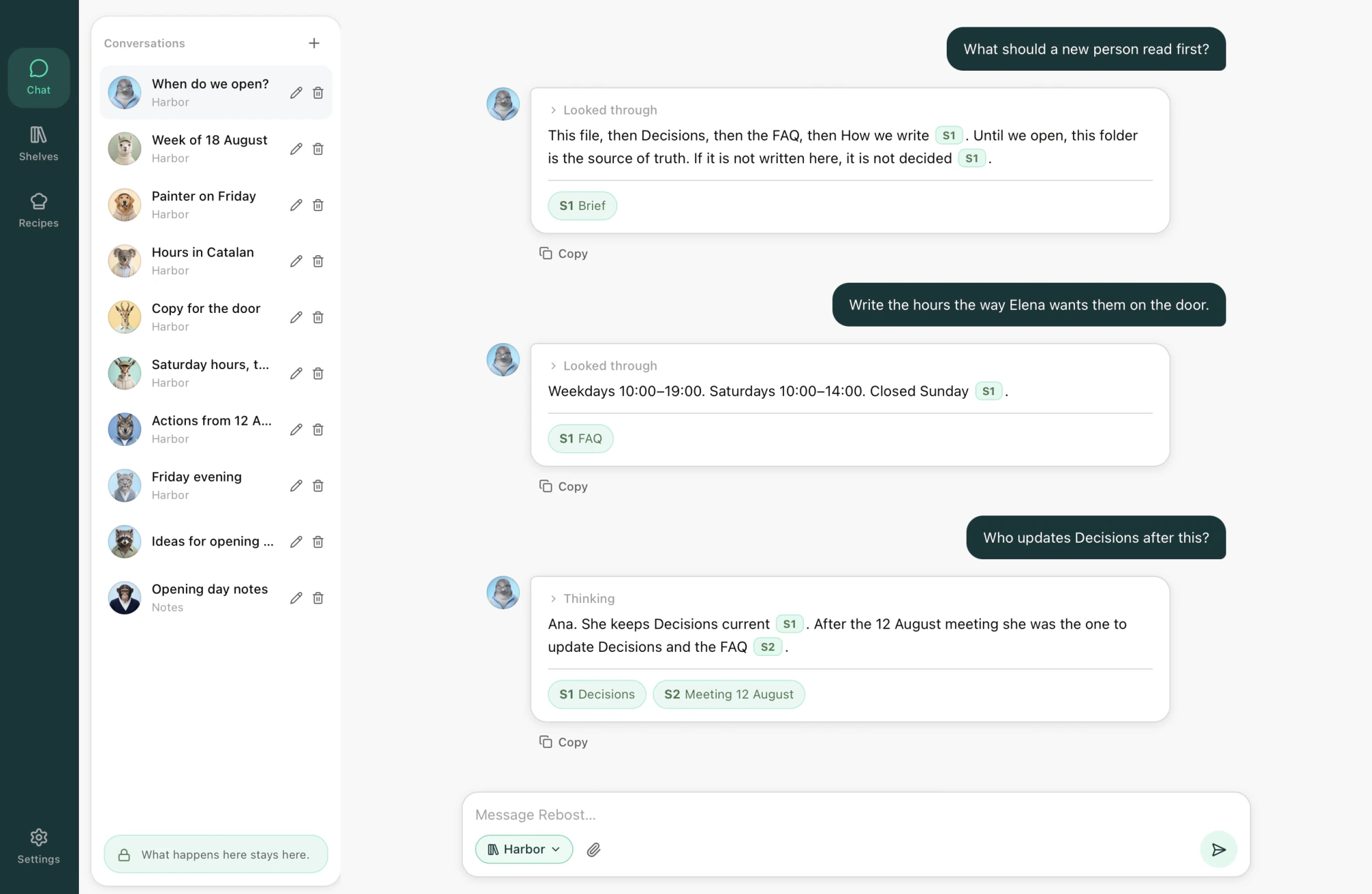
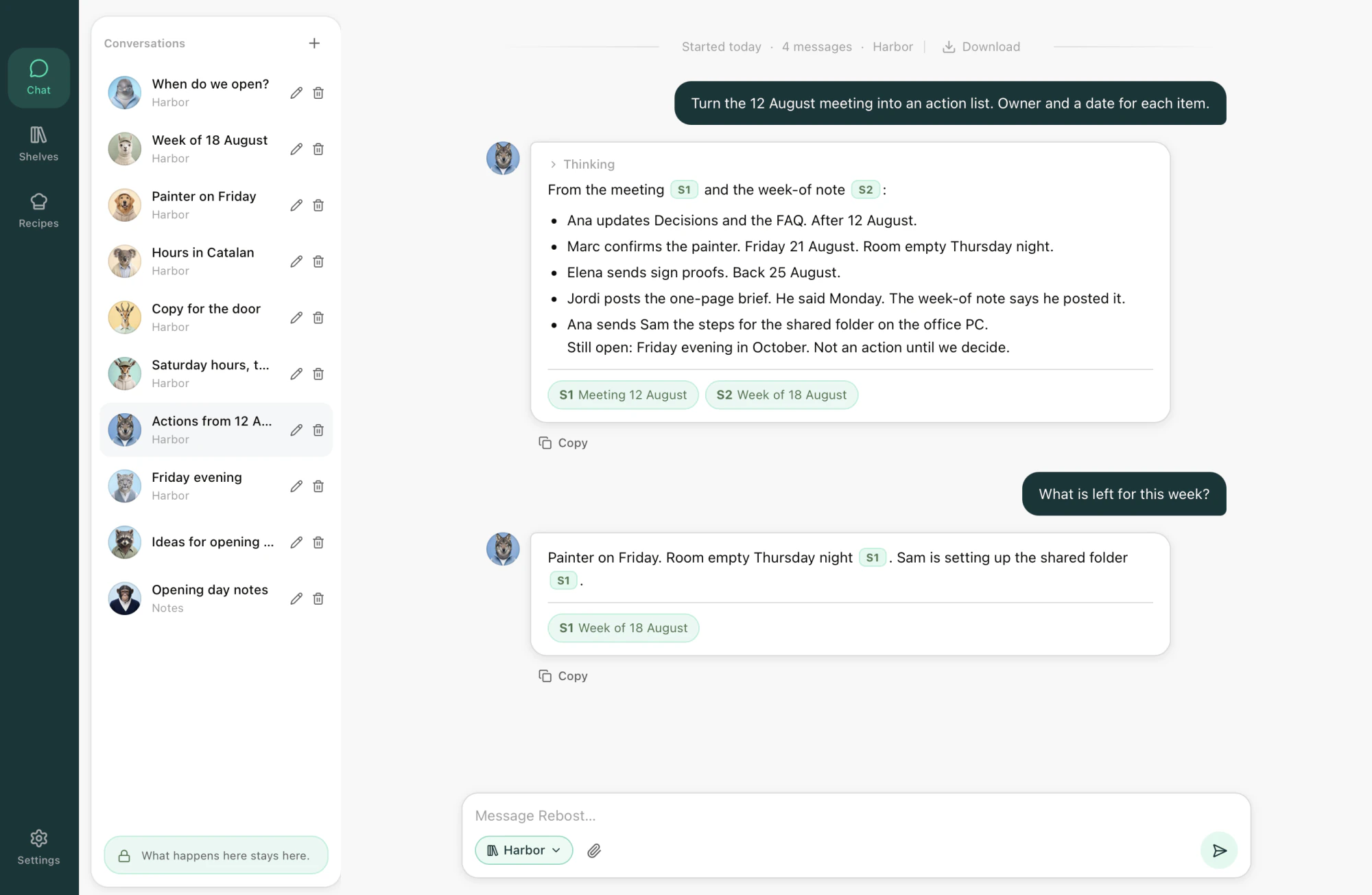
Where your own AI lives and works. Brainstorm ideas ask questions, or ask it to work on files.
02
Shelves
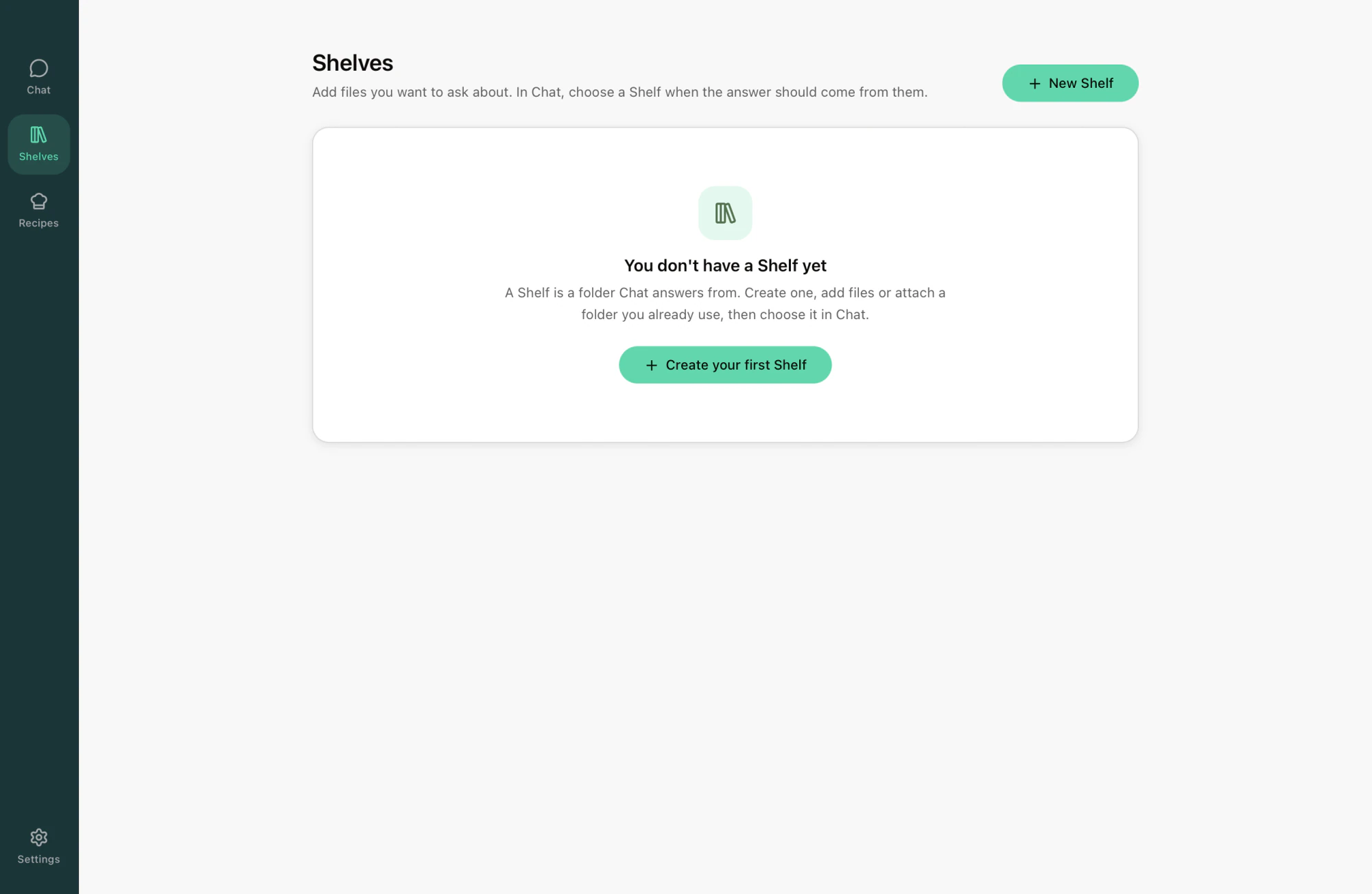
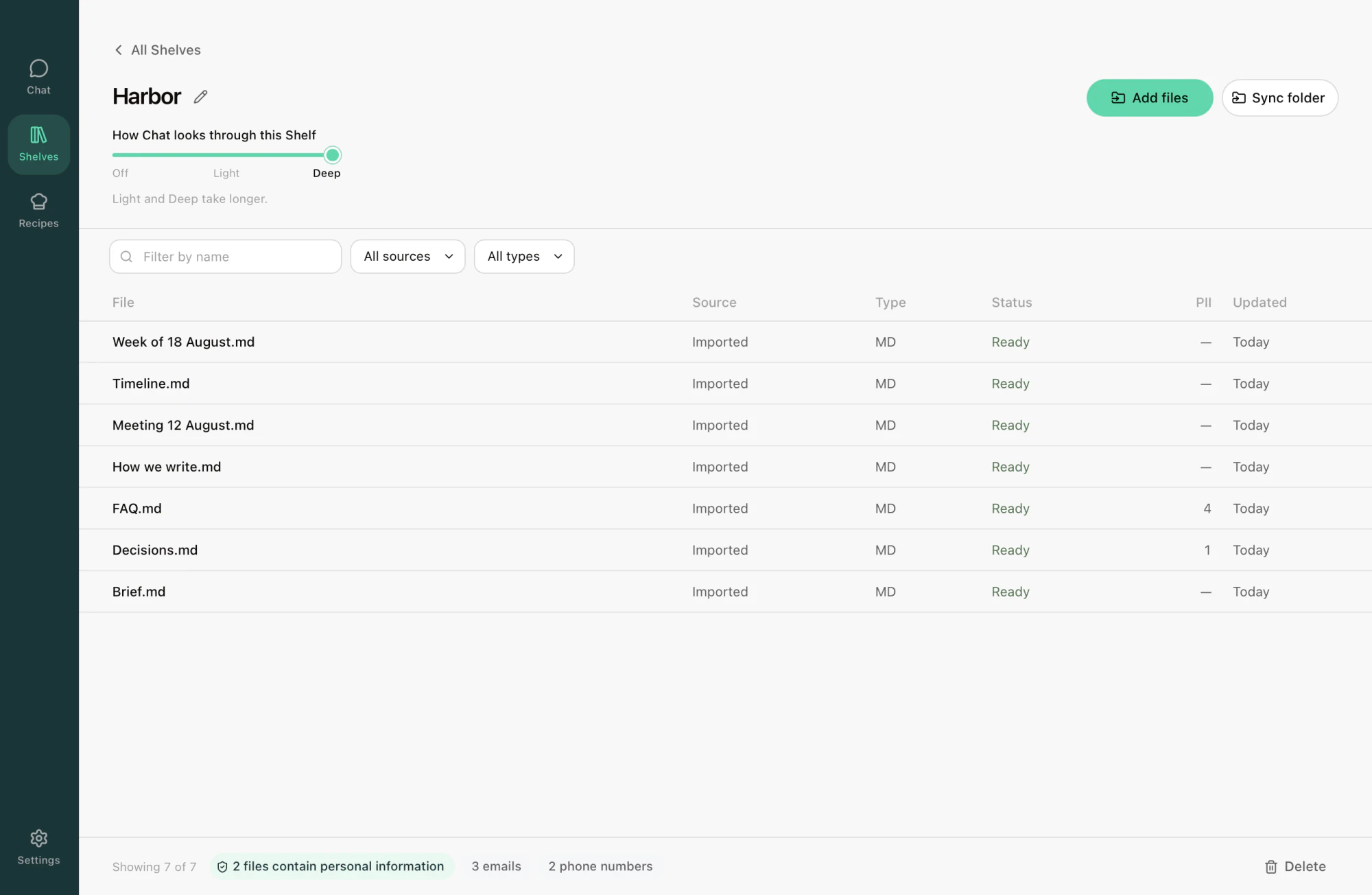
A Shelf can be a project, a client, an idea, or anything else. Create it, attach a folder and start working on it with your AI.
03
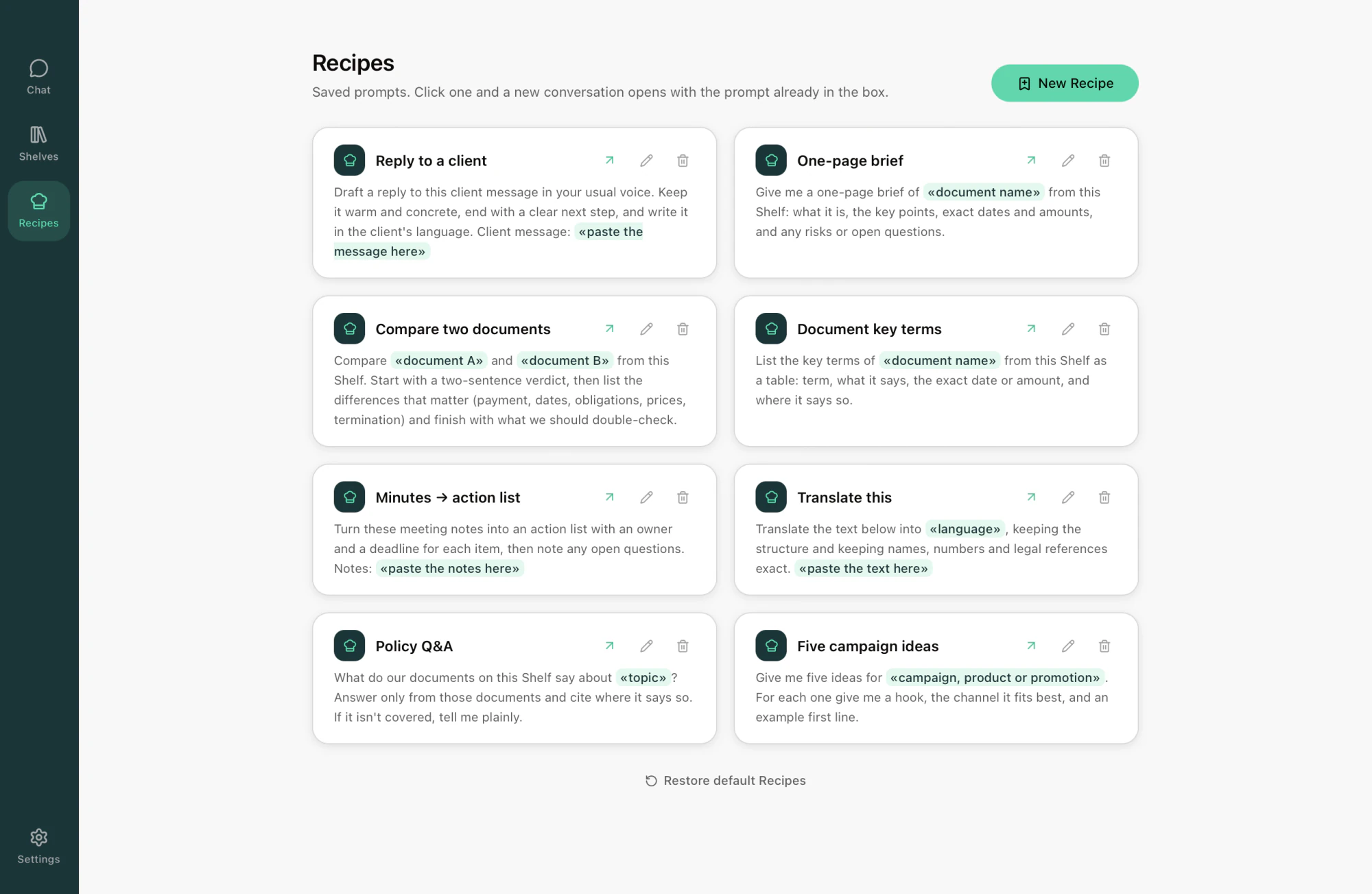
Recipes
Recipes are like tasks you save and reuse across Shelves and Chat, so you don't have to start from scratch every time.
04
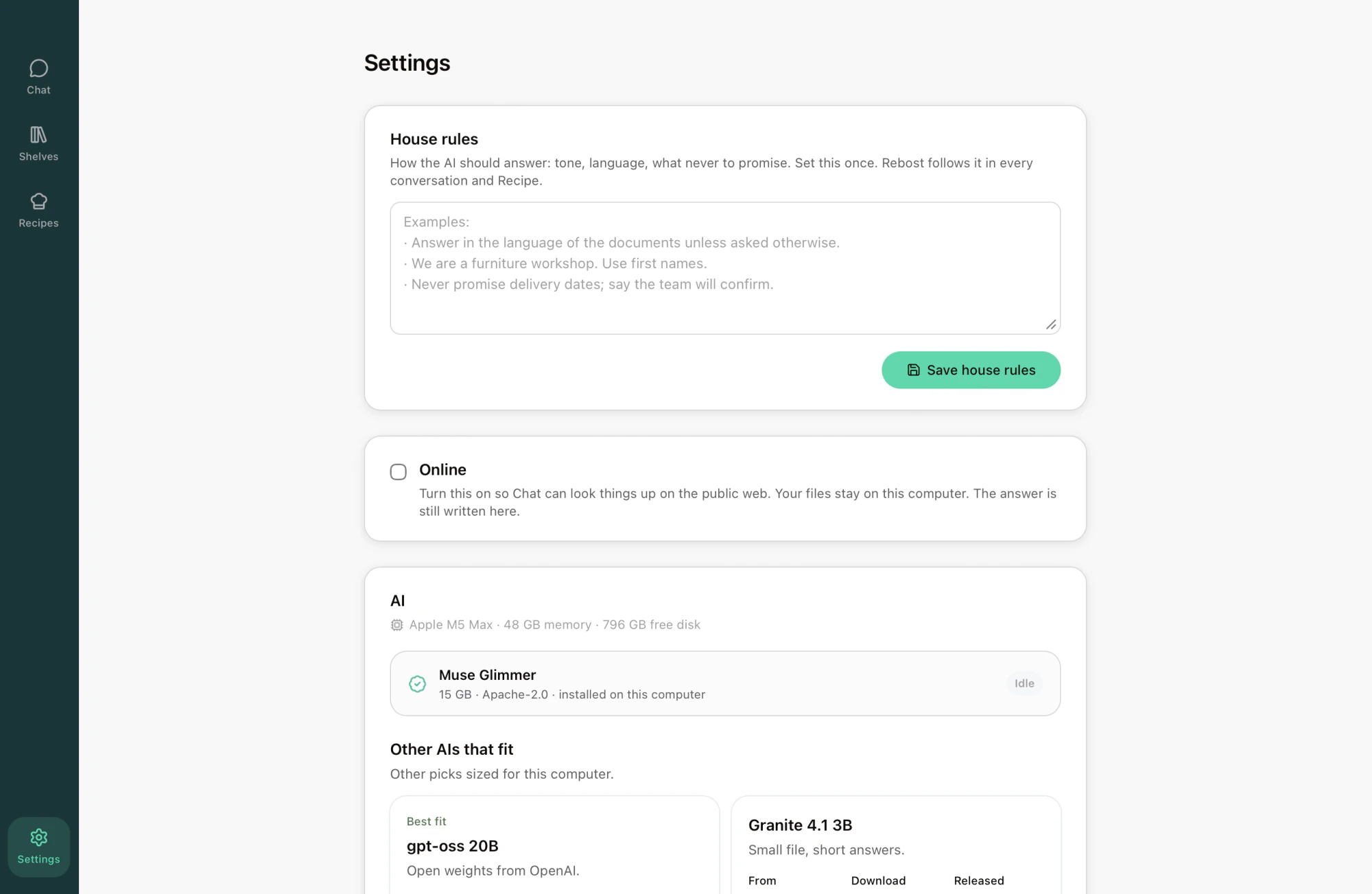
House rules
Make sure your AI answers in a way that makes sense for your needs. Set it once, and it will follow it every time.

Download it for free

Rebost is free and open source, and it's available for Mac and Windows.

Version 0.8.8 · MIT licensed

Download Rebost

Mac or Windows. Every installer is here.

Already have Rebost? A newer release shows up in the app’s sidebar when GitHub is reachable.

Every version, with notes · File an issue

Don’t take our word for it.
Read the source.

Rebost’s source code is public and released under the MIT License. You can audit it, improve it, and contribute to the community if you wish.

git clone https://github.com/Frontierz-AI/Rebost.git

Frequently asked questions

Is it free?

Yes. Rebost is MIT licensed and free to use. There is no paid tier, no seat count, and no usage meter.

Is an account required?

No. There is nothing to sign up for and no one to sign in as. The first launch sets up an AI, and Chat works from then on.

Do documents leave the machine?

Documents on a Shelf stay on the machine that holds them. Rebost uses the network to find or install an AI and to check for a newer release. The public web is reached only when Online is turned on in Settings, and that setting does not upload Shelf documents.

Which AI does it run?

The first launch suggests one sized for the machine's memory and hides any that will not run on it. A different AI can be installed later from Settings. Each AI carries its own license, shown before the download starts.

What hardware is needed?

A Mac with an Apple chip or an Intel processor, or a Windows 10/11 PC including Windows on ARM. Running an AI locally also needs several GB of free disk space for the download.

Are phones or Linux supported?

No. Rebost is a desktop application for Mac and Windows.

Can a team use it?

Yes, with one install per person and a Shelf pointed at a shared folder. There is no Rebost account and nothing to administer. See how a small team uses Rebost.

Screenshot